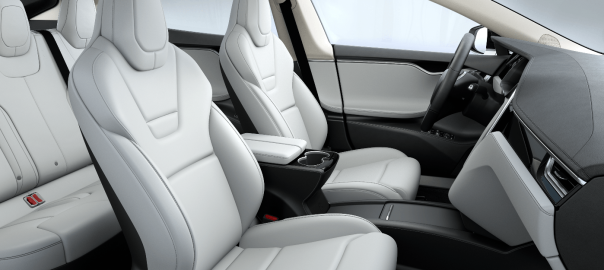
This is a quick introduction to using the Hyundai Ioniq Electric. It is intended to give just the basic information required for a test drive, use of an Ioniq Electric from a hire/rental company, or to get your Ioniq Electric home the day you buy it.
Doors
- The Ioniq is a four door car (with pull handles) with a button release tailgate.
Helpful hint: Each time you open the tailgate wipe clean the lens of the rear camera. - Ioniq uses keyless entry, i.e. it opens electronically via a key fob rather than with a physical key. There are two methods of entry:
- Unlock and lock the doors using the second button on the key fob.
- Press the small black button in either of the front door handles and then pull the handle.
Driving
- To start the car:
- The key fob must be somewhere inside the car.
- Press and hold the brake pedal and press the Start/Stop button to the left of the steering wheel.

-
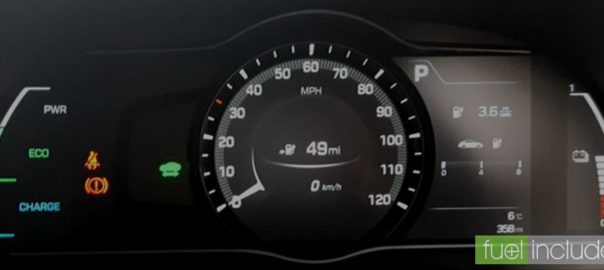
- The electronic controls activate with a melodic jingle and the Ioniq lights up the dashboard in a colourful manner as it checks that all is well.

-
- A green car graphic (left of the speedometer) shows you are ready to select drive and move off.

- To select Drive press the D button on the centre console with foot still on brake. The ‘Handbrake’ will release automatically.

- Note that the Ioniq has been programmed with ‘creep’, i.e. it will move forward like an automatic even when the accelerator is not pressed.
- The Ioniq has both conventional and electronic brakes. The physical brakes (discs & pads) only operate at low speeds. At all faster speeds pressing the brake pedal will cause the electric motor (engine) to become a generator and this ‘regeneration’ creates a significant braking force as it puts power back into the battery.
Helpful hint: Because the physical brakes are used so little they can accumulate debris/rust and make scratching/squeeking noises when the car first drives off. It’s nothing to be concerned about and usually stops after the first couple of uses. - The car generates sound at low speed to warn pedestrians of your presence (up to about 20mph). Helpful hint: VESS (Virtual Engine Sound System) can be switched off but it is switched on by default each time the car is activated.
- Once in Drive mode you can accelerate up to maximum speed (about 105mph) without changing gear.
- You can come to a complete stop in Drive. Whilst still on the brake, press P during short stops (traffic, etc). To drive again brake and D.
If you are stopping for any length of time you should then engage the handbrake. Lift the control at the rear of the centre console. Lift for on and lift again for off (you may hear a whirring sound each time).

- To turn off completely use the Start/Stop button.
Helpful hint: If the keys were placed in the car remember to pick them up when leaving. - The car will auto lock after a short while once the key is out of range (1.5m) but for security just press the first button on the fob.
Charging
- Ensure the car is in Park mode, the handbrake is engaged and the motor is off.
- Release the charging port door using the button to the right of the steering wheel.

- Ensure the charge point is powered up and ready (the Morrisons Supermarket free charge point, below, shows a green light). Remove the dust cover from the cable connector and plug it in.

- The charging port door is located over the rear nearside (left) wheel. Remove the dust covers from both the cable connector and socket. Plug in the cable. The connector displays a white light when it is properly seated. The cable is now locked in place and cannot be pulled free.

- If charging from a public charge point, at this point you need to initiate a charge (the method will depend on the charge point model).
- The IONIQ dashboard shows blue lights when it is charging.

- The car should be locked if unattended, but operating the locks and doors has no effect on the charge operation.
- Release the charge cable connector using the second button on the key fob (two clicks on the unlock button) and withdraw the connector.
- Replace the dust covers on the cable and the car socket. Close the charging port door; charging is complete.
[Thanks to Trevor Larkum for his Zoe Primer post this is based on.]